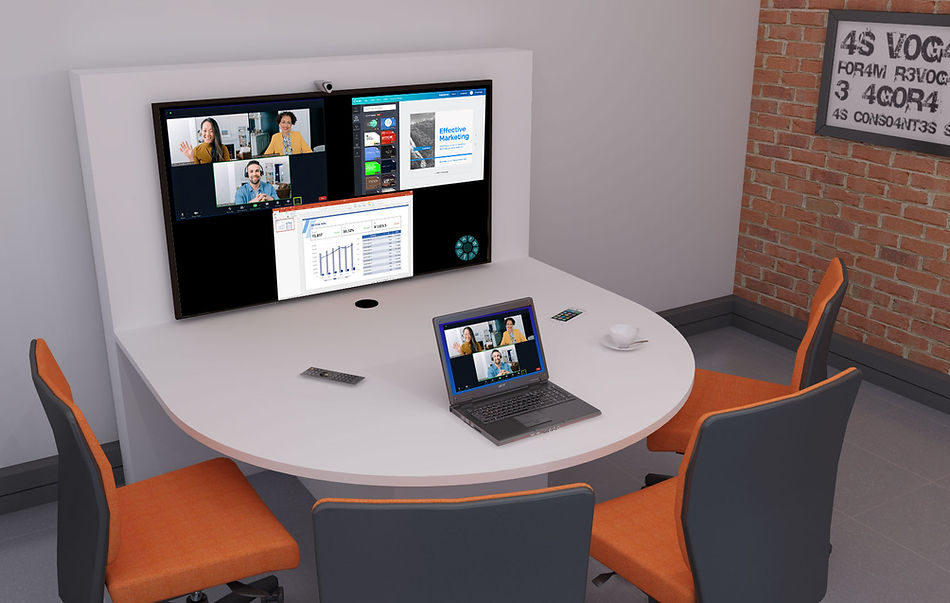
HYBRID MEETINGS with KLIK CONFERENCE

Unify remote users and on-premise teams with KLIK Hybrid Conference.

KLIK Hybrid Conference provides a flexible, high-performing wireless presentation and Unified Communications platform that enables hybrid meeting spaces. Our platform allows you to easily connect with colleagues, customers and partners in person and virtually, regardless of location. KLIK Conference is designed to make collaboration easier and more efficient, enabling teams to work together, from any location, with the click of a button.

KLIK Hybrid Conference is a cost-effective solution that's easy to deploy and to use.

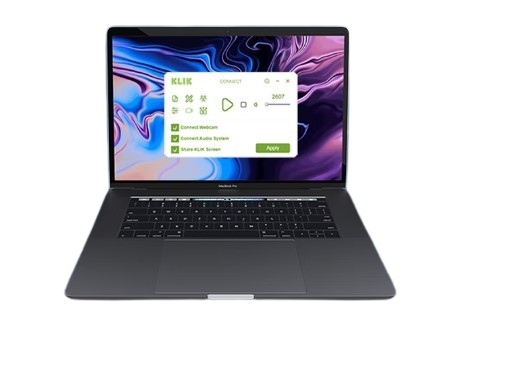
KLIKConnect 4

KLIK Hybrid Conference is the perfect solution for bringing people together in a hybrid video conference, allowing you to easily connect to the room camera, audio, and display, with just one click.

Experience crystal clear audio and video with KLIK Hybrid Conference, and have a productive, enjoyable, and stress-free hybrid video conferencing experience.
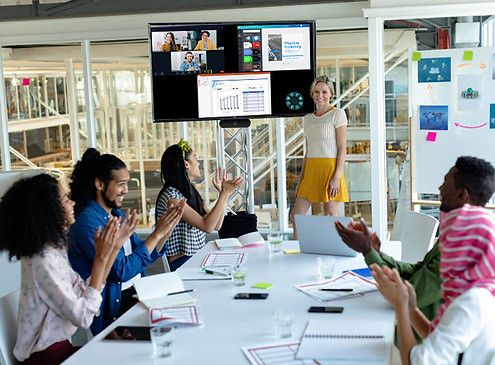
Enjoy the benefits of a room system, with the simplicity of personal video conferencing.

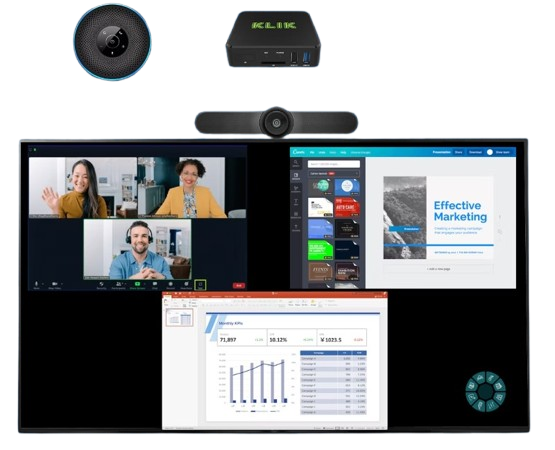
Better audio, better video, big screen, and room for all of your in-house team. The benefits of “room systems” are well known, and now you can enjoy these benefits with the simplicity of starting a conference on your own device, without the cost or complexity of a room system. Save on hardware, save on subscriptions, save time, and offer your team the best user experience.
Two Ways to Conference Wirelessly

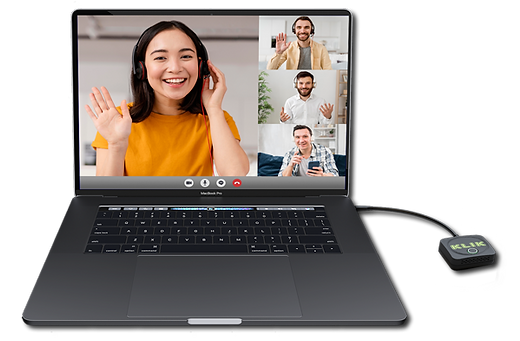
KLIKLink AV

KLIKLink offers unmatched simplicity when connecting a compatible Windows or Mac PC for video conferencing. With native support for video over USB-C, or HDMI with the included adapter, KLIKLink offers a pushbutton experience for wireless screen-sharing, video conferencing, and touchscreen integration.

Learn more about KLIKLink AV
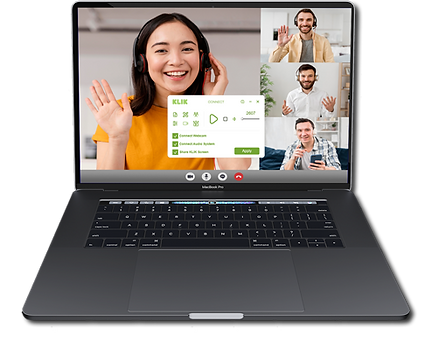
KLIKConnect

KLIKLink offers unmatched simplicity when connecting a compatible Windows or Mac PC for video conferencing. With native support for video over USB-C, or HDMI with the included adapter, KLIKLink offers a pushbutton experience for wireless screen-sharing, video conferencing, and touchscreen integration.

Learn more about KLIKLink AV
KLIK Hybrid Conference Features

  • Platform-agnostic hybrid video collaboration for any classroom, meeting room or huddle space
  • Wireless connection to the room’s Display, Webcam and Audio system.
  • Accepts all standards-based USB Video and Audio peripherals (cameras & audio systems).
  • Works with Zoom, Meet, Teams, WebEx, and all major video conferencing platforms.
  • In-person screen sharing without joining the video conference.
  • No need for in-room participants to join the video call, just share content to the local screen with KLIK.

Scale meetings up or down to accommodate in-person users, and take your meeting with you.

  • Platform-agnostic hybrid video collaboration for any classroom, meeting room or huddle space
  • Wireless connection to the room’s Display, Webcam and Audio system.
  • Accepts all standards-based USB Video and Audio peripherals (cameras & audio systems).
  • Works with Zoom, Meet, Teams, WebEx, and all major video conferencing platforms.
  • In-person screen sharing without joining the video conference.
  • No need for in-room participants to join the video call, just share content to the local screen with KLIK.

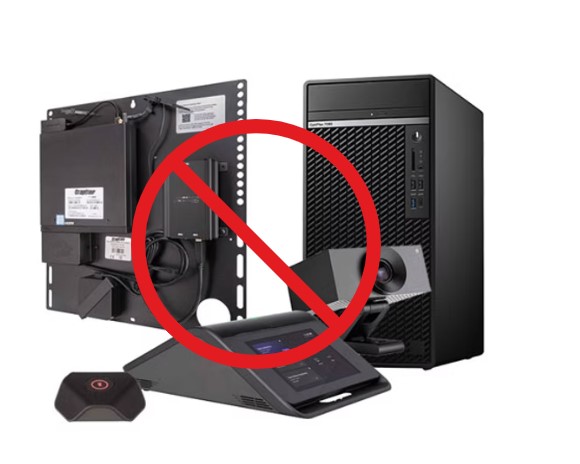
Eliminate the high cost of dedicated meeting room PCs, Control Systems and Subscriptions.

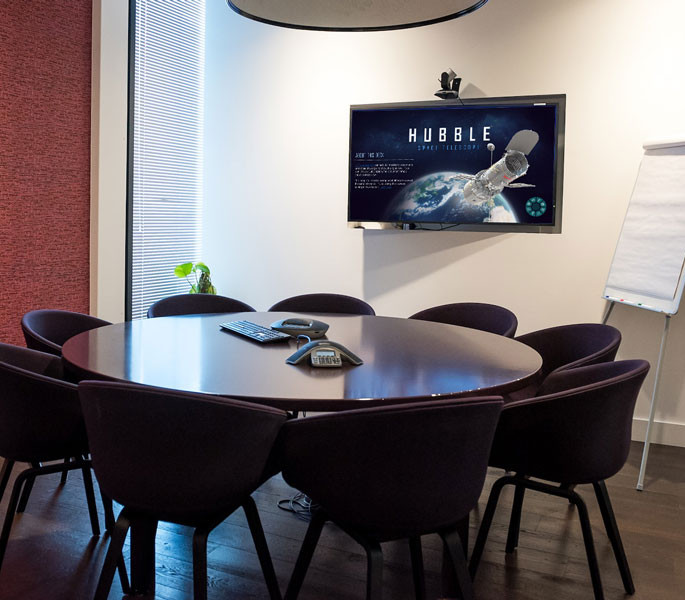
With KLIK Hybrid Conference, there’s no need for the capital expense and ongoing cost of a dedicated room conferencing system. Any KLIK-equipped display can host hybrid video conferences and hybrid meetings by simply adding an affordable webcam and speakerphone.

Host hybrid meetings on the fly, without waiting to schedule a dedicated room.

Life can be unpredictable, so sometimes it’s just not possible to plan ahead for a video conference call. With KLIK Hybrid Conference you’re always ready to start a call on your personal device, then move it to any available room to accommodate more participants.
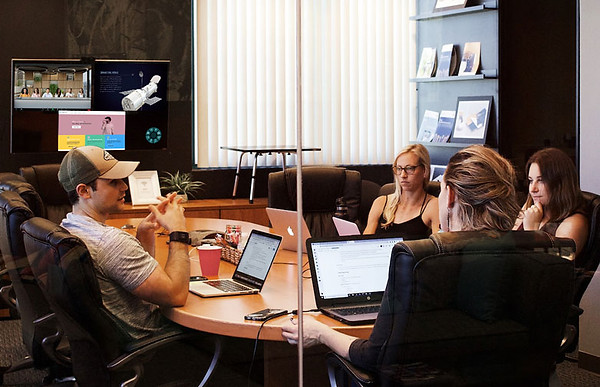

Combine in-person and remote participants into one call, with excellent audio and video quality, and multi-view screen sharing.

KLIK Hybrid Conference allows local participants to join the call without using the conferencing app, freeing up bandwidth and eliminating feedback. Plus, anything that’s shared to the local screen can also be shared with remote participants at the same time.

Get the KLIK Hybrid Conference Advantage

  • Faster, easier video conferencing that starts on your own PC.

  • Expanded number of hybrid video conferencing & hybrid meeting spaces.

  • Move into and out of larger meeting rooms as needed, without having to restart a call.

  • Reduce the cost of video conferencing & hybrid meeting spaces by 70% or more.

  • Greater flexibility to start and end video conference calls and hybrid meetings without the need to schedule ahead.

  • Deliver a better user experience with pristine audio, video, and content sharing.

Learn more about Conferencing

What other hardware is required to support KLIK Hybrid Conference?

All that’s needed in addition to the KLIKBoks HUB and a TV display is a USB webcam and an audio system. Since KLIK supports all standards-based USB Video and Audio devices, most every webcam and audio system is already compatible.

The only software you need is the free KLIKConnect app, and your favorite video calling app. Start the KLIKConnect app to connect to the attached webcam and audio system, then select those components in the video calling app like you normally would.

Any standards-based USB Speaker/Microphone device is compatible. Examples include speakerphones, USB Audio Adapters and even USB Headsets.

Any standards-based camera with a USB output can be used with KLIK Hybrid Conference.

KLIK Conference cannot access the audio and video from a standard webcam individually, only a combined Speaker/Microphone audio system is supported.

Yes, KLIK Hybrid Conference is available on all conference calling platforms, at all subscription levels.

From the Player, select the “Share KLIK Screen” function to open a window on your PC that mirrors all of the content being displayed on the local screen. Share that to the far side of the call using the video conferencing app.