
Active Classrooms have gained in popularity for one simple reason; improved educational outcomes. But until now, an active classroom required tens of thousands of dollars in hardware, software and control systems.
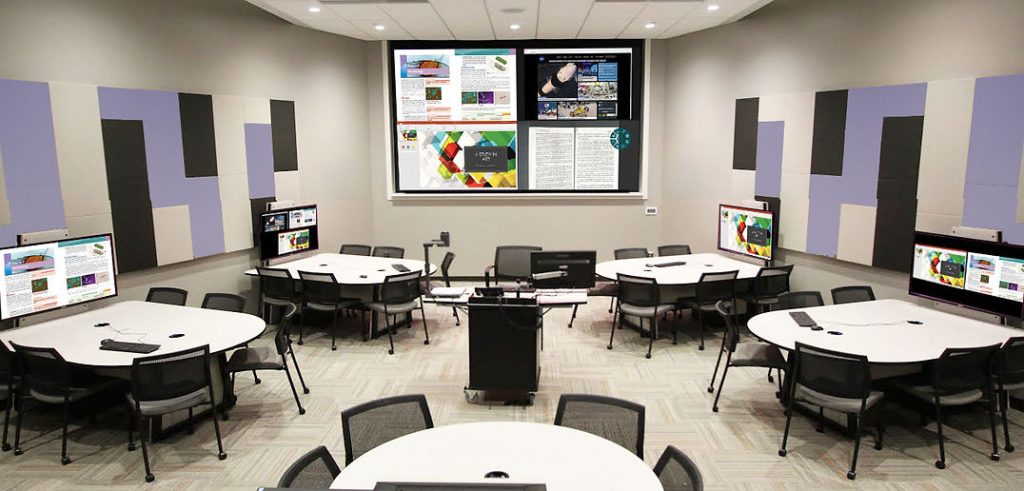
Now, KLIK brings the advantages of the active classroom to even the most modest of budgets, with its flexible video routing feature. Allow groups of students to screen-share to their own screen, then push content to other screens for discussion, comparisons and greater collaboration.
Powerful & flexible video routing is included with every KLIKBoks HUB, at no added cost.
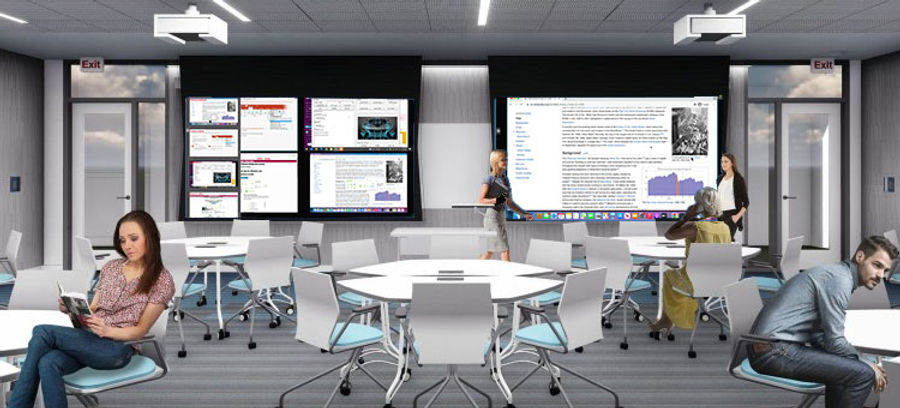
Use KLIK Multicast in rooms with movable partition walls to expand your AV system as needed. Share the same content to multiple screens, or put your video conference on one screen, and shared content on the other. The choice is yours with Multicasting.
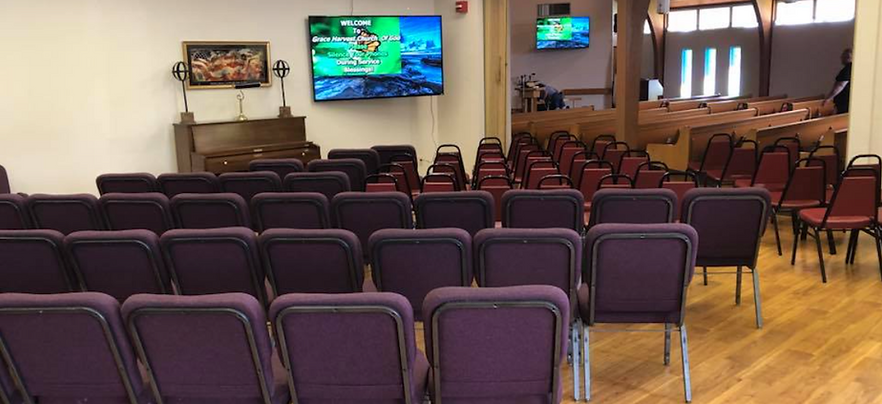
Use screens better, with the ability to share the exact content that’s relevant for the location. Overflow areas benefit with content that may not otherwise be visible, common areas can display non-sensitive content, and public areas can offer general information.
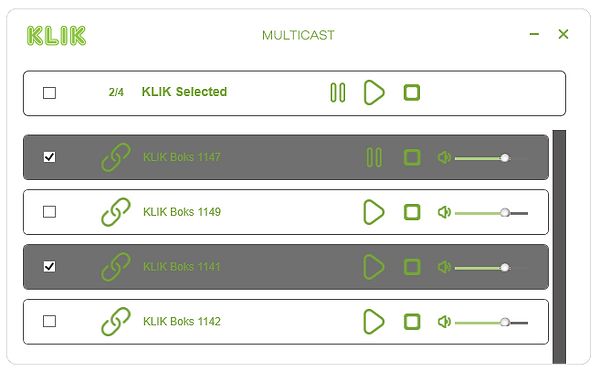
Open the Multicast window to see, select and control all available screens in one place. No complicated configurations needed, simply select and activate multicasting to each screen at a time, or all at once. You can even freeze content on any screen while selecting another share.
There are three key applications for Multicasting to KLIK screens.
1) Active learning environments where users share content on their own screen in breakout groups, then push content to a main screen for sharing with the rest of the group.
2) Sharing content to multiple screens that are usually separated by partition walls, in a meeting or conference room setup, when the partition walls are opened.
3) Sharing content from a main activity room to tertiary and overflow areas where the content requirements may be different from those shown in the main room.
KLIK Multicasting is designed to offer users the greatest flexibility when sharing content across several screens. To do so, a user selects the specific screens to which they want to share content. Unlike systems where multicasting shares only the contents of one screen, KLIK Multicasting allows for complete customization of what is displayed on every screen.