KLIKConnect V4 Now Available – Download for Windows
Firmware is the ‘operating system’ inside a KLIK that delivers the features and benefits much like a computer’s OS. We’re constantly updating firmware to add new features, improve performance, enhance stability and maintain compatibility with evolving changes in smartphones, tablets and PCs.
Each KLIK Boks model uses a specific firmware version, designed around the unique capabilities of its hardware. Choose your KLIK Boks model to see the latest firmware version, the newly-added features and how to download it.
Click here to download KLIK Stik Firmware Version 1.3.0.6 – Latest
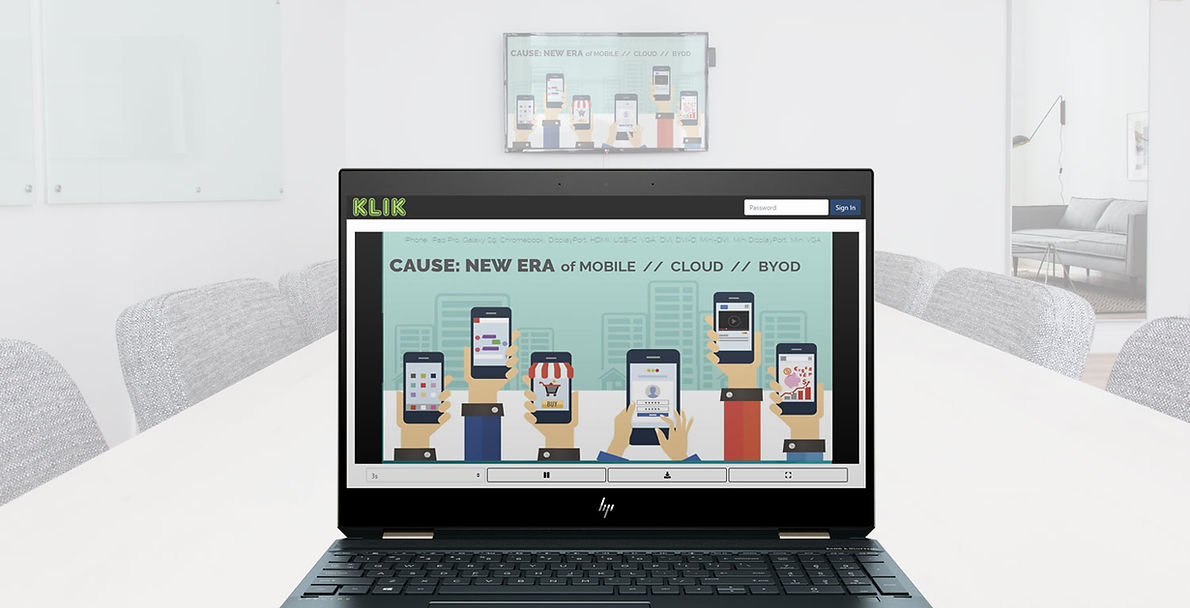
Stream your presentation to the big screen and let your audience view it right on their own device at the same time. KLIKStream makes every seat the best seat in the house, plus viewers can take screen captures as they happen.
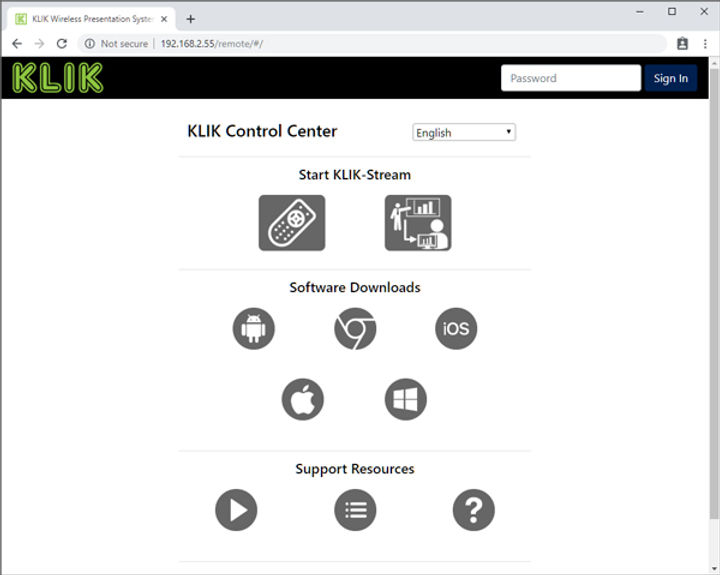
KLIK Control Center is your direct access point to KLIK software apps, support options and the Media Player. It also allows users to view the presentation on their own device, with KLIKStream.
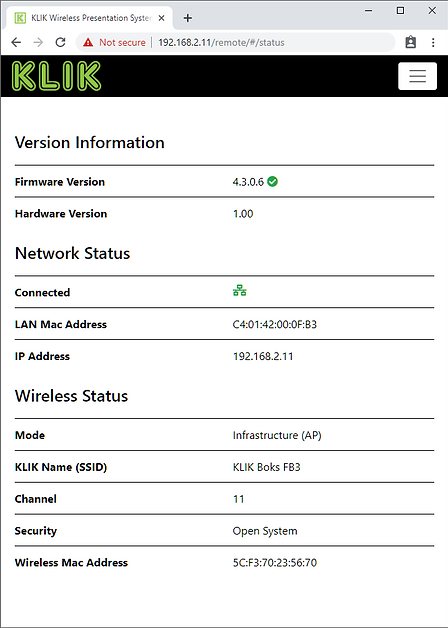
KLIK Status panel gives you all of the system's vitals at a glance. Plus, now the KLIK Stik automatically checks for firmware updates, so you always have the latest features.
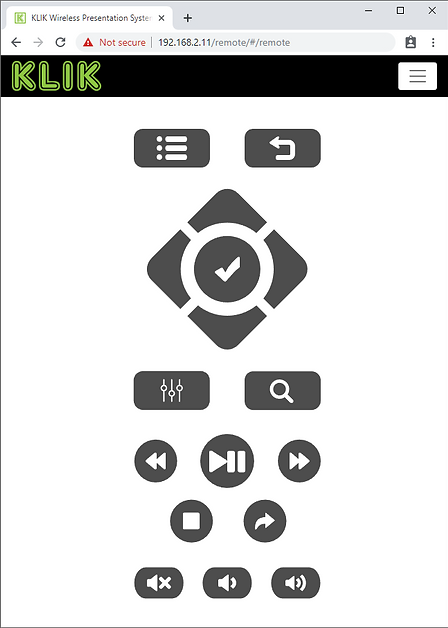
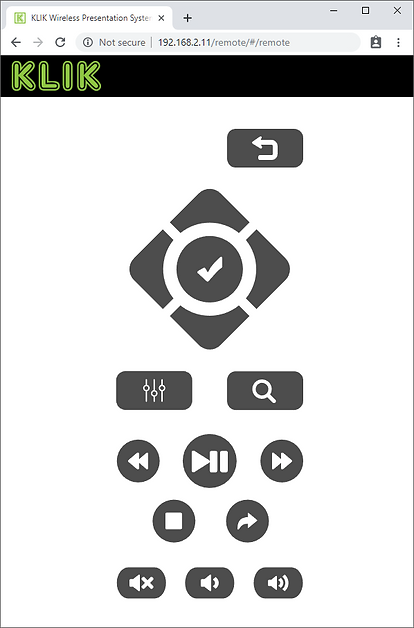
Welcome to the new Configuration Control center. A more intuitive control interface, patterned on the physical remote control gives you direct access to the Setup menu as well as the Media Player.
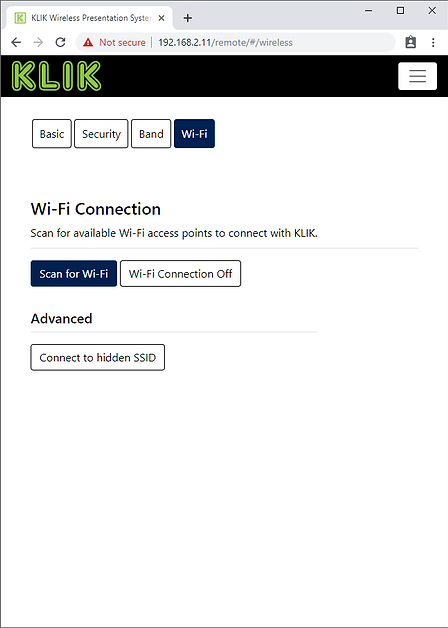
Wireless Network connections are now easier than ever to set up, plus KLIK Stik now supports connection to hidden Wi-Fi networks
Click here to download KLIK Boks CLASSIC Firmware Version 2.3.0.6 – Latest
Stream your presentation to the big screen and let your audience view it right on their own device at the same time. KLIKStream makes every seat the best seat in the house, plus viewers can take screen captures as they happen.
KLIK Control Center is your direct access point to KLIK software apps, support options and the Media Player. It also allows users to view the presentation on their own device, with KLIKStream.
KLIK Status panel gives you all of the system's vitals at a glance. Plus, now the KLIK Stik automatically checks for firmware updates, so you always have the latest features.
Welcome to the new Configuration Control center. A more intuitive control interface, patterned on the physical remote control gives you direct access to the Setup menu as well as the Media Player.
Wireless Network connections are now easier than ever to set up, plus KLIK Stik now supports connection to hidden Wi-Fi networks
Click here to download KLIK Boks PLUS Firmware Version 3.3.0.6 – Latest
Stream your presentation to the big screen and let your audience view it right on their own device at the same time. KLIKStream makes every seat the best seat in the house, plus viewers can take screen captures as they happen.
KLIK Control Center is your direct access point to KLIK software apps, support options and the Media Player. It also allows users to view the presentation on their own device, with KLIKStream.
KLIK Status panel gives you all of the system's vitals at a glance. Plus, now the KLIK Stik automatically checks for firmware updates, so you always have the latest features.
Welcome to the new Configuration Control center. A more intuitive control interface, patterned on the physical remote control gives you direct access to the Setup menu as well as the Media Player.
Wireless Network connections are now easier than ever to set up, plus KLIK Stik now supports connection to hidden Wi-Fi networks
Click here to download KLIK Boks PRO Firmware Version 4.3.0.6 – Latest
Stream your presentation to the big screen and let your audience view it right on their own device at the same time. KLIKStream makes every seat the best seat in the house, plus viewers can take screen captures as they happen.
KLIK Control Center is your direct access point to KLIK software apps, support options and the Media Player. It also allows users to view the presentation on their own device, with KLIKStream.
KLIK Status panel gives you all of the system's vitals at a glance. Plus, now the KLIK Stik automatically checks for firmware updates, so you always have the latest features.
Welcome to the new Configuration Control center. A more intuitive control interface, patterned on the physical remote control gives you direct access to the Setup menu as well as the Media Player.
Wireless Network connections are now easier than ever to set up, plus KLIK Stik now supports connection to hidden Wi-Fi networks
1. Download the new firmware filefor Stik, CLASSIC, PLUS or PRO.


3. Plug the flash drive into the KLIK start the Update. Read more here.

For KLIKBoks HUB, please see the product page here.